Fujifilm Film Simulations (+ Dial) Earn Praise from DPReview — Even Tempting a Nikon/Sony Shooter to Switch to Fujifilm
- X-T30 III
BHphoto / Amazon US (black body/kit – silver body/kit – charchoal body/kit) / Adorama / Moment / Nuzira / BestBuy / Paul’s Photo
DPReview had a podcast in which they talk about the Fujifilm X-T30 III and we already shared in our previous article (and you can see it below again).
It’s an overall very positive take on the X-T30 III, with perhaps the only minor complaint being that it’s a small camera packed with lots of dedicated controls — which can sometimes lead to accidentally pressing a button. A fair critique, but on the other hand, if it didn’t have a joystick, a couple of FN buttons, and clickable front and rear dials, people would complain about the lack of them. Personally, I’d rather have more controls, because in my experience you quickly get used to the layout, and accidental presses become much rarer over time.
But that’s not what we want to talk about today.
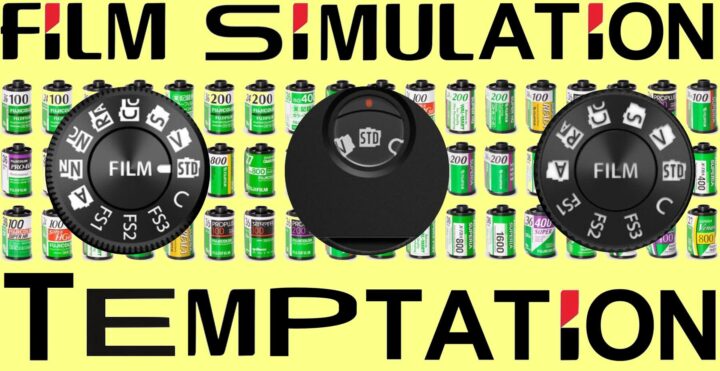
What I’d actually like to highlight is the last part of the video, in which they talk about the film simulation dial and film simulations in general.
- Fujifilm Film Simulation Group – 142K members and growing stronger every day
Here is what they say:
- the film simulation modes are all quite nice and generally quite subtle
- you can shoot RAW and then use the in-camera converter to preview how your photo would look in another simulation
- “People who don’t shoot Fujifilm often dismiss them as a gimmick,” says Richard Butler, “but it’s a gimmick I like.”
- the new dial, he adds, reminds you to experiment: “Every time you take a shot, you think, ‘Oh, let’s see what that would look like in another film simulation.’”
- Richard Butler says he likes the film simulation dial
- DPReview’s Abby — who shoots Nikon and Sony and not Fujifilm — was asked if the film simulation dial is something that appeals to her. She said “I have actually debated switching to Fujifilm because of film simulations“.
- she also pointed out that this feature is especially nice for beginners, since they can get polished, great-looking results without editing
- having a physical dial instead of menu diving makes it even more approachable
- many people, Abby said, “don’t want to sit down and edit things on the computer — they just want to take pictures and move on with their lives.”
- Having the option to do that and still get photos that have nice colors and look like a more final product is a nice concept
So why hasn’t Abby switched yet? Well, adopting a new mount also means investing in new lenses — and that, of course, adds to the overall cost of the system.
That’s why I think cameras like the Fujifilm X100VI are a better fit for many non-Fujifilm shooters. You still get access to what people love about the Fujifilm system — the film simulations, the tactile controls, the colors — without having to invest in a whole new set of lenses. It’s the perfect everyday second camera for non-Fujifilm users.
Fujiflm Cameras with Film Simulation Dial
- X-T30 III
BHphoto / Amazon US (black body/kit – silver body/kit – charchoal body/kit) / Adorama / Moment / Nuzira / BestBuy / Paul’s Photo - X-E5
BHphoto / Amazon US (black body/kit – silver body/kit) / Adorama / Moment / Nuzira / BestBuy/ Paul’s Photo
- X-T50
BHphoto / Amazon / Adorama / Nuzira / Moment