DPReview Fujifilm X-H1 Studio Test: Is the Fujifilm X-H1 Image Quality Really better than X-T2?
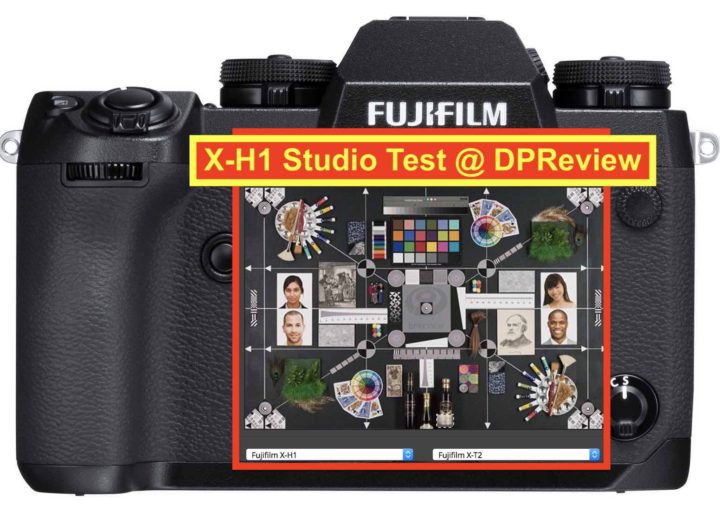
Fujifilm X-H1 Studio Test

There was quite some buzz in the last days, after…

My own theory was (and still is), that Fujifilm fine tuned the image processing in JPEG files, and hence we see a difference on the X-H1 over the X-T2.

What is sure, is that at very high ISO there are some differences, mostly in favor of the X-H1, but not always.

Now also DPReivew has uploaded their studio lab test, where you can pixel peep again, and also compare the RAW images, as you can see below.
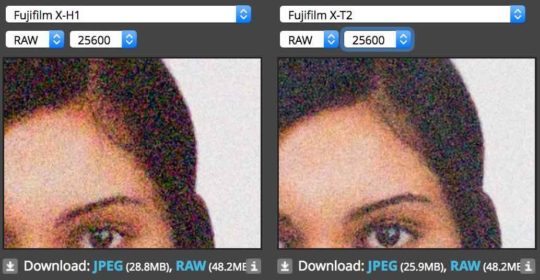
In RAW, the Fujifilm X-H1 does not show, IMO, any improvement over the X-T2. Actually in some cases at highest ISO values, I prefer a the results of the X-T2.

So it’s safe to assume that behind the improvement at high ISO in JPEG there is a fine tuned image processing.

Keep in mind that DPReview uses Adobe Photoshop to demosaic RAW files, which, out of the box with standard settings, is notoriously not the best option for X-Trans files.

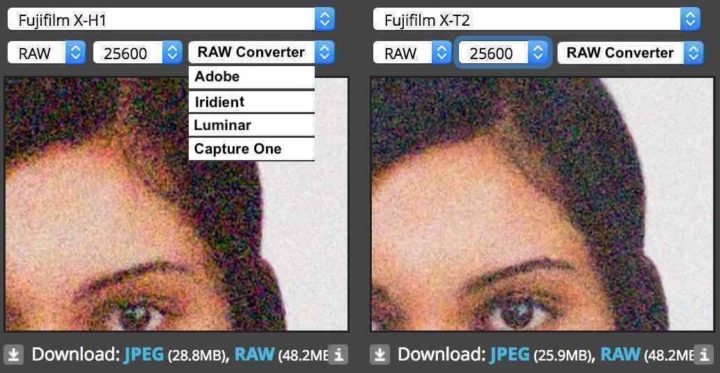
I wish they would either adapt the import settings to X-Trans files (as we reported in our debunking X-Trans myths article), or add Iridient & other RAW converters to their lab tests, which do make a better job with X-Trans files out of the box.

By sticking to Adobe default settings, every X-Trans file will always be a bit less sharp than it is when using the default settings of other converters. The ultimate “fair” comparison would be to offer the option to select also the RAW converter along with the camera model. Something like the image below.

Fujifilm X-H1: BHphoto, AmazonUS, Adorama, Focuscamera
Follow FujiRumors on Facebook, RSS-feed, Instagram, Youtube and Twitter
Fujifilm X-H1 Coverage: X-H1 facebook group + X-H1 facebook Page
Laowa Magic Format Converter for Fujiiflm GFX Available… and Kipon, Mitakon, Fringer at CP+

Laowa

There is definitely grabbing the attention of the Fujifilm world lately, not only thanks to the launch of the Laowa 9mmF2.8 Zero-D (hands on report here).

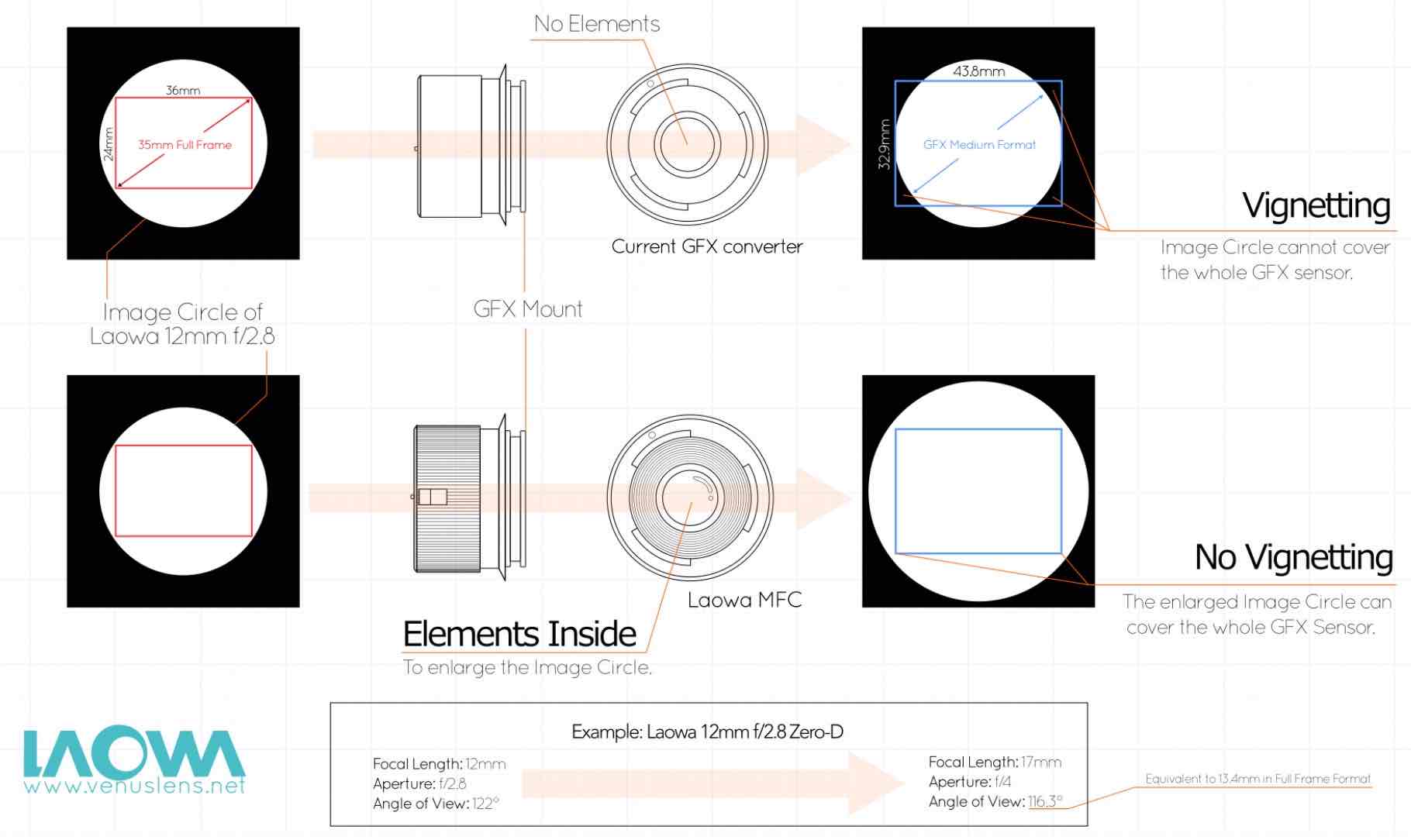
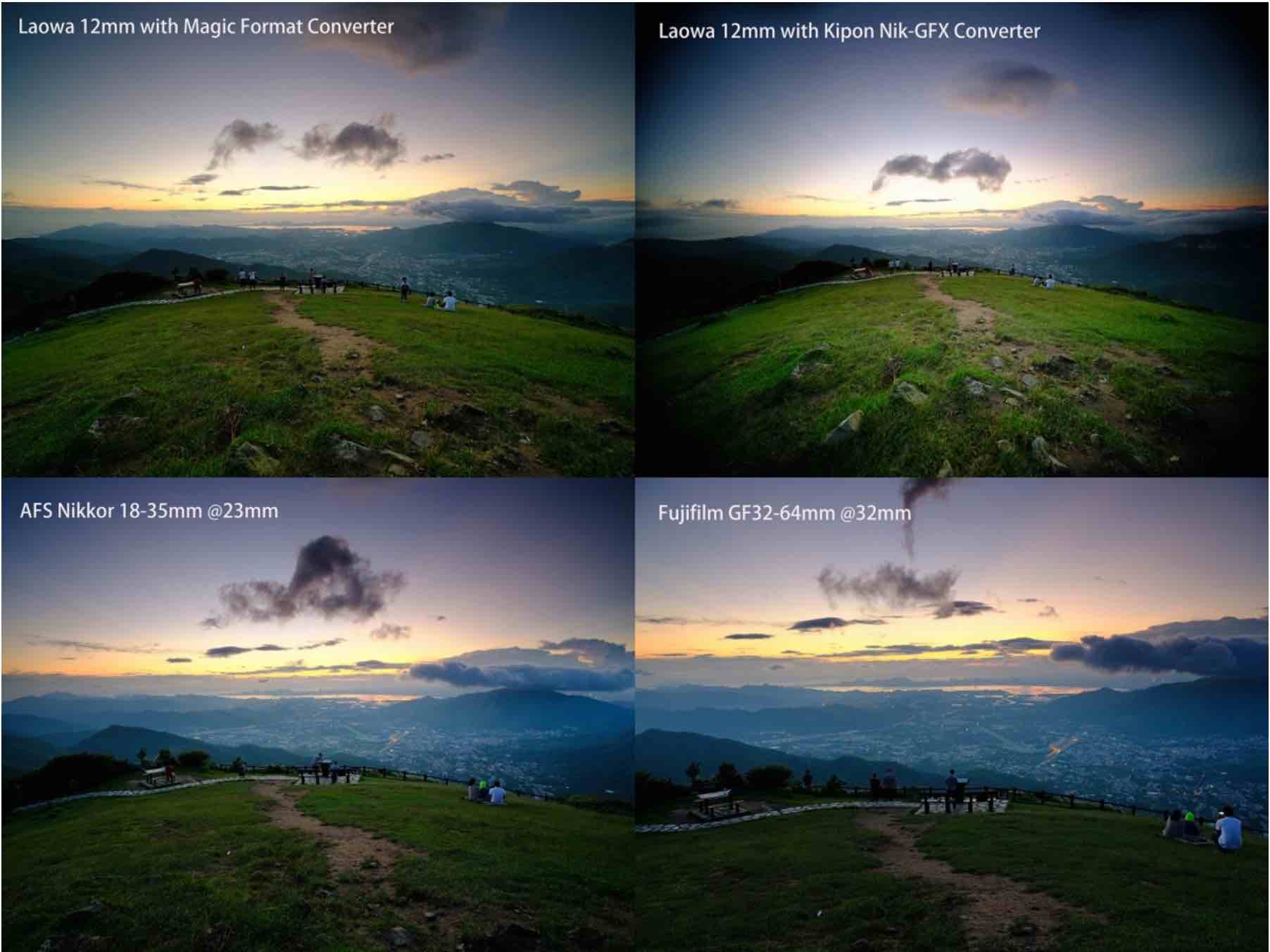
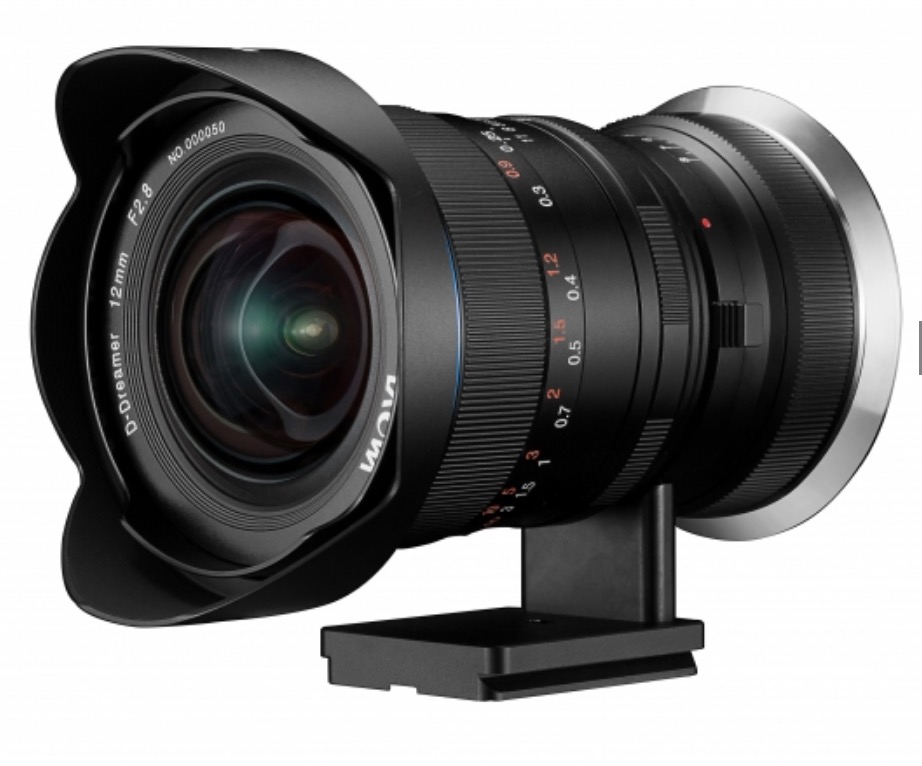
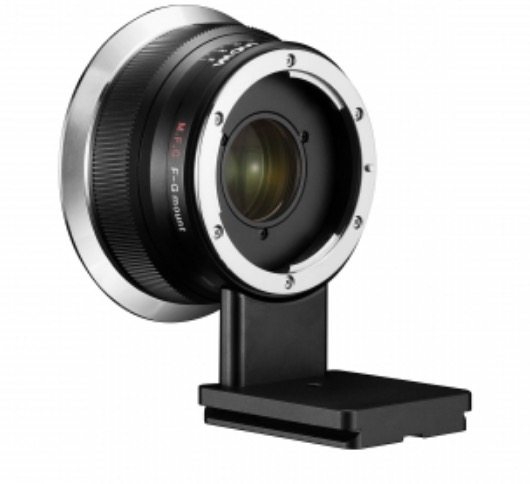
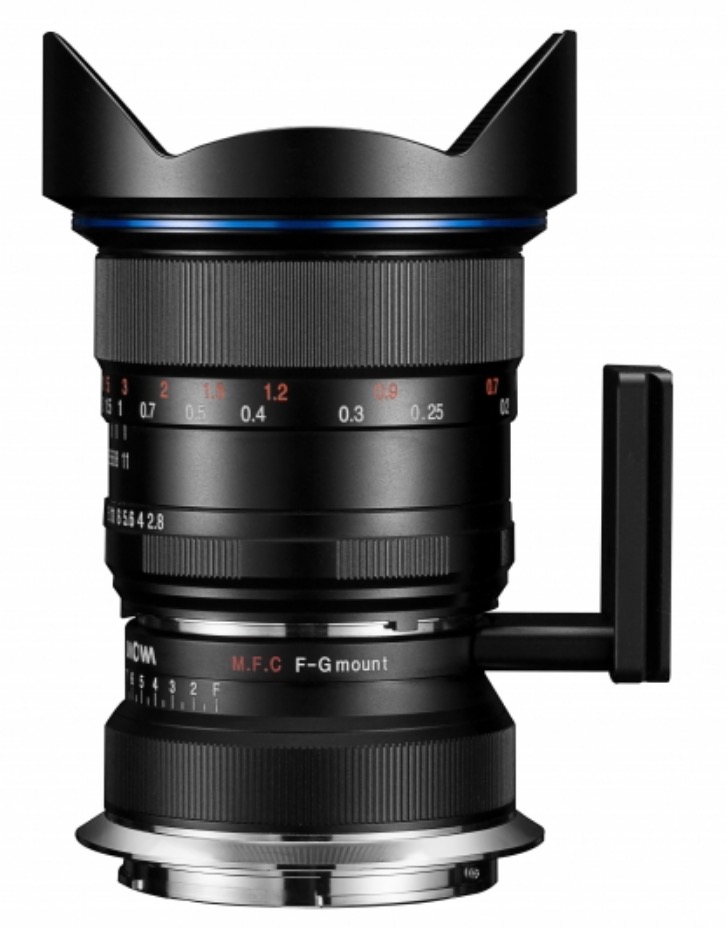
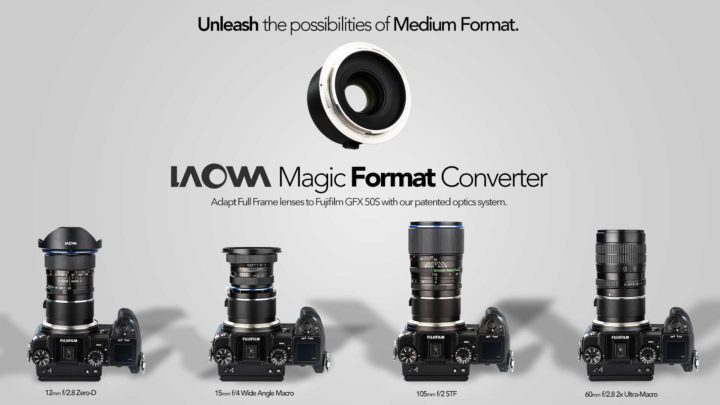
Also Fujifilm GFX can look forward to the Laowa Magic Format Converter, which allows you to adapte your Canon and Nikon full frame lenses onto the Fujifilm GFX without any vignetting.

Laowa Magic Format Conveter for Canon / Nikon: BHphoto, AmazonUS, Adorama

& More

Now only Laowa. There are other emerging brands that add lenses and accessories to the Fujifilm X and GFX system. The Japanese site dc.watch visted Kipon, Mitakon, Fringer and more at CP+, and shared some images that you can see down below.

Kipon for Fujifilm

** CLICK HERE to Read the Rest of the Article **

Kipon Canon EF to Fujifilm X Smart Adapter Shipping End of March / Beginning of April

Kipon Canon EF to Fujifilm X Smart adapter

Not only Steelsring and Fringer… also Kipon will be offering its own Canon EF to Fujifilm X smart adapter soon.

We already reported about them here, and there will be several options:

  • EF-FX AF – 298USD (optically improved. New production from better optic supplier)
  • Baveyes EF-FX AF 0.7x – 428USD (focal reducer, or “speedbooster”)
  • EF-GFX AF – 298USD

Now Cinema5D met the Kipon guys at the CP+, and they present the new smart adapters by Kipon. You can see the video here. They say the Canon EF to Fuji X smart adapters will start shipping at the end of March/beginning of April

Especially the “speedbooster” version sounds very interesting.

Here is an overview of the current or soon to be available smart adapters for Fujifilm

Fujifilm X-H1 In Stock at BHphoto + Full X and GFX Savings Full Overview

Fujiflm X-H1 in Stock at BHphoto

Now also BHphoto has the Fujifilm X-H1 in stock here. It includes the free Domke bag.

AmazonUS, Adorama and Focuscamera had the Fujifilm X-H1 in stock already.

Fujifilm X-H1 Deals

Fujifilm X-H1 Bundle Deals Save $150
Adorama + BHphoto include Free Domke Bag

with XF 16-55: BHphoto, AmazonUS, Adorama, Focuscamera
with XF 50-140: BHphoto, AmazonUS, Adorama, Focuscamera
with XF 100-400: BHphoto, AmazonUS, Adorama, Focuscamera
with Vertical Grip + XF 16-55: BHphoto, AmazonUS, Adorama, Focuscamera
with Vertical Grip + XF 50-140: BHphoto, AmazonUS, Adorama, Focuscamera
with Vertical Grip + XF 100-400: BHphoto, AmazonUS, Adorama, Focuscamera

Fujifilm X-H1
All combos: BHphoto, AmazonUS, Adorama, Focuscamera

Fujifilm GFX, X-T2 & more Deals

Fujifilm GFX 50S + Any GF lens* (save $1,000): BHphoto, Adorama, AmazonUS
* GF63mmF2.8 / GF45mmF2.8 / GF32-64mmF4 / GF120mmF4 / GF110mmF2 / GF 23mmF4

Fujifilm X-T2 Black + 1* or 2** XF lenses (save $200): BHphoto, Adorama, AmazonUS, Focuscamera
*14 / 16 / 23F1.4 / 27 / 35F1.4 / 56 / 56APD / 60 / 90 / 10-24 / 16-55 / 18-55 / 18-135 / 50-140 / 55-200 / 100-400
** 18-55 + 14 / 18-55 + 16 / 18-55 + 23F1.4 / 18-55 + 27 / 18-55 + 35F1.4 / 18-55 + 56 / 18-55 + 56APD / 18-55 + 60 / 18-55 + 90 / 18-55 + 10-24 / 18-55 + 16-55 / 18-55 + 18-55 / 18-55 + 18-135 / 18-55 + 50-140 / 18-55 + 55-200 / 18-55 + 100-400

Fujifilm X-T2 Graphite + 1* XF lens (save $200): BHphoto, Adorama, AmazonUS, Focuscamera
*14 / 16 / 23F1.4 / 27 / 35F1.4 / 56 / 56APD / 60 / 90 / 10-24 / 16-55 / 18-55 / 18-135 / 50-140 / 55-200 / 100-400

Fujifilm X-T20 + 16-50 + 50-230 + grip (save $429): BHphoto, AmazonUS, Adorama
* AmazonUS and Adorama include lots of freebies

Fujifilm X-T20 + 16-50 (save $100): BHphoto, AmazonUS, Adorama
* AmazonUS and Adorama include lots of freebies

Fujifilm X-E2S
with 18-55 + 14mm bundle deal (save $519): Adorama
body only (save $200): BHphoto, AmazonUS, Adorama
with 18-55 (save $319): Adorama

Fujifilm X-T1
black body (save $650): BHphoto
black body + free accessories (save $650): BHphoto
with 18-55 + Battery Grip (save $800): BHphoto
with XF 35mm f/2 (save $750): BHphoto
Graphite body (save $750): BHphoto
with XF18-55 (save $750): BHphoto

Fujifilm XF16mmF1.4 R WR + Free Accessory Bundle worth $296 at Adorama

Fujinon XF35mmF2 WR + $50.00 Gift Certificate at Adorama
Fujinon XF23mmF2 WR + $50.00 Gift Certificate at Adorama

Fujinon XF100-400mm
with Free Accessory Bundle (save $300): Adorama
with XF1.4X TC + Accessories (save $300): Adorama
with XF2.0X TC + Accessories (save $300): Adorama

Fujifilm XF50-140mm + XF100-400mm + Accessories (save $355): Adorama

Fujifilm X-H1 Auto ISO Bug? + Avoid Lock Ups Using Fujifilm Recommended SD-Cards

Fujifilm X-H1 Auto ISO Bug?

The Fujifilm X-H1 has just been released, and our hyperactive Fujifilm X-H1 facebook community found a possible bug. Auto ISO settings keep reset to factory settings if you use the Q Menu. Also FR-reader contacted me via email to report me this (thanks).

Here are three reports:

JASON: Hi all. So I’m wondering if this is a new setting or user error or a bug but I’m finding that the three auto iso settings keep defaulting back to their factory settings and don’t keep my settings? This happens only when I switch between my custom settings in the Q menu. Doesn’t happen with my X-T2’s. Anyone else found this?

JOSH: Is anyone else having a bug where their Auto ISO presets reset after the camera is turned off and on?

TORSTEN: I found a bug! I customized my Auto-ISO settings, but after changing / switching to another C-Setting (C1-C7) the Auto-ISO is resetting to the default values

Fujifilm X-H1 Lock-Ups

There are some reports at our group about lock-ups.

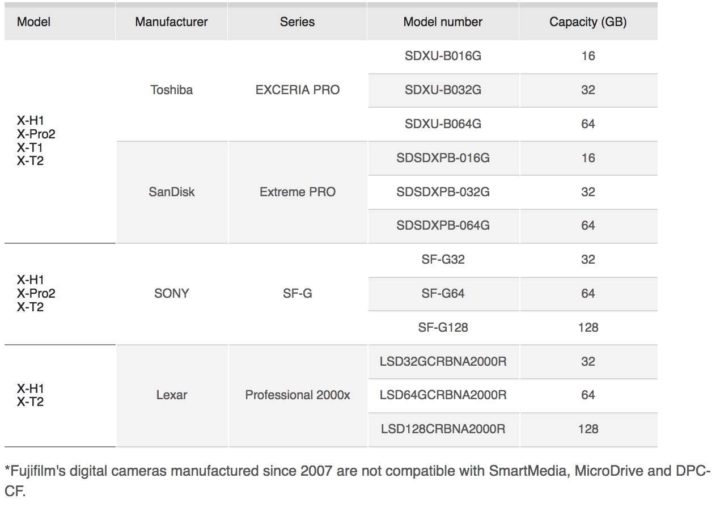
So far it seems lock ups happen mostly to people, who use different SD-cards to those recommended by Fujifilm. Using Fujifilm recommended SD-cards fixed the issue for them. So make sure you use SD-cards appoved by Fujifilm for the X-H1. You can see the list here.

Additionally, FR-readers could expand this list by posting their working (exact) SD-Card Model in the comments. Thanks Frank.

However, some X-H members, like Peter here, say “I have approved cards and faster than approved cards and still experience the lockups however I’ve noticed a correlation to what shutter mode I’m using and since the shutter mechanism is a new element in the technology it makes sense that it may be the cause. At least from my findings. Trying to see if others are experiencing the same thing“.

Besides the Fujifilm recommended SD-Cards, make sure to use the correct NP-W126S batteries (and not NP-W126 – orginal or third party).

And of course, comment and give feedback… you know Fujifilm manager read (and even love) us.