
Firmware Updates for Fujifilm GFX Eterna 55 – Atomos RAW Support and More – and GF32-90mmT3.5

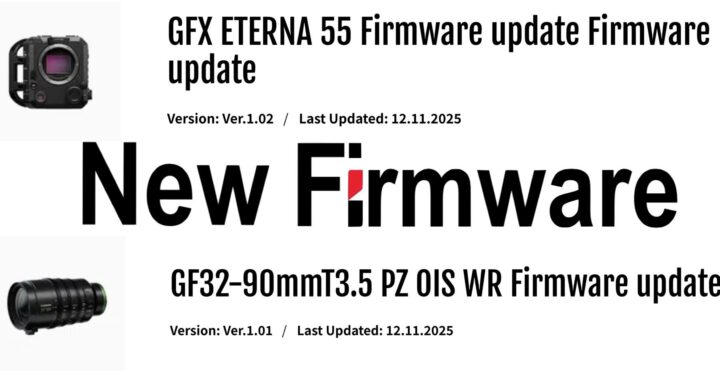
Fujifilm GFX Eterna 55 ver.1.02 – download here
The firmware update Ver.1.02 from Ver.1.00/Ver.1.01 incorporates the following issues:
- External recorder recording function to ATOMOS devices is newly added.
This new firmware enables the FUJIFILM GFX ETERNA 55 to make external RAW recording by 4:3 open gate, 4K, and up to 48fps.
Additionally, RAW output is newly available via SDI in addition to HDMI, enabling versatile use across various film production environments.
Please be sure to update your external recorder to the latest firmware before use. please see here. - The display design of the menu screen is changed.
- The brightness of the side monitor becomes darker than the previous condition if the [-5] is selected for the brightness of the [Side monitor] through the following operation.
[SET UP] ➔ [LCD SETTING] ➔ [LCD BRIGHTNESS] - Look & feel of the [TIME CODE] display shown on the [Side monitor] is improved.
- Response times becomes shorter when operating the following settings.
Operation Settings:[FPS], [ISO], [SHUTTER], [ND], [WB], [PROJECT FPS], [RESOLUTION] and [IMAGE FORMAT] - The default (starting) value for [Clip No.] is changed from 0000 to 0001.
- The default value for [SHARPNESS] is changed from 4 to 0.
Note:Be aware that you need to initialize the camera to make the above change take effect. - The following firmware bugs are fixed.
(1)The recording does not start while AF is locked with touch AF through the following operation flow.
[FOCUS] ➔ [TOUCH SCREEN MODE] ➔ [AF] (2)Selecting [RESET ALL EXCEPT NETWORK SETTINGS] does not reset the [TIME CODE] through the following operation flow.
[TIME CODE] ➔ [COUNT UP SETTING] ➔ [FREE RUN] (3)The aperture value cannot be changed when selecting [IRIS] in the [RECORDING] menu under the following setting conditions.
・Use GF lenses with an aperture ring other than the GF32-90mm T3.5 PZ OIS WR.
・Set the aperture ring position to C.
・Select [T NUMBER] of the [IRIS DISP] in the [RECORDING] menu.
(4)The [CUSTOM ASPECT] is not displayed at the correct aspect ratio.
(5)Synchronization failure of the [TIME CODE] (6) The side monitor display occasionally remains in REC mode even after stopping REC.
(7) The outside side monitor turns off occasionally when starting and stopping REC repeatedly.
(8) The outside indicator lamp remains lit or remains off occasionally when starting and stopping REC repeatedly.
(9) The default setting for the mount adapter should be [OFF], but it is set to [Lens 1].
(10) Loading more than 13 LUT files may cause unstable operation.
(11)Other minor bugs.
GF32-90mmT3.5 PZ OIS WR ver 1.01 – download here
The firmware update Ver.1.01 from Ver.1.00 incorporates the following issues:
- The following two firmware bugs are fixed.
(1) An unusual noise or slight vibration occasionally occurs from inside the lens when zooming from the [TELE] to the [WIDE] end.
(2) The indicator line on the aperture ring and the T-value displayed on the LCD differ. - Zoom operability is improved.