
Aiarty Image Enhancer Updated: DNG/TIFF Export, AI Eraser & Color Restoration (Holiday Deal Ending)


Aiarty Image Enhancer Updated: DNG/TIFF Export, AI Eraser & Color Restoration (Holiday Deal Ending)
Aiarty Image Enhancer just received a few practical updates. It now includes professional-grade TIFF/DNG export, improved color restoration, and a beta AI Eraser—all processed fully offline.
No cloud uploads, no subscriptions. Whether you’re cleaning up high-ISO noise, restoring older archives, or preparing images for large-format print, Aiarty Image Enhancer handles the processing locally while keeping textures and colors natural.
Update & Licensing (Deal Ends Jan 31)
Existing users get these updates for free. For those looking to add a powerful utility to their kit, the holiday promotion is active through January 31:
- Lifetime License: $79 (49% off, one-time payment, includes all future updates)
- Extra Discount: Use coupon code NYSPECIAL for $5 off
- Check out the Holiday Offer here
Professional Perspective: Handling Large Files
Wildlife photographer Bill Maynard has been testing the software for noise reduction and deblurring.
“As a wildlife photographer, I rely on tools that enhance my images while staying true to the natural beauty of my subjects. Aiarty Image Enhancer excels in this regard.”
For large images, he recommends:
“Go to Settings → Aiarty Image Enhancer → Max Tile Size, and set it to Auto. This gives the best results for large images.”
See his test with Aiarty Image Enhancer >
What’s New in the Latest Version
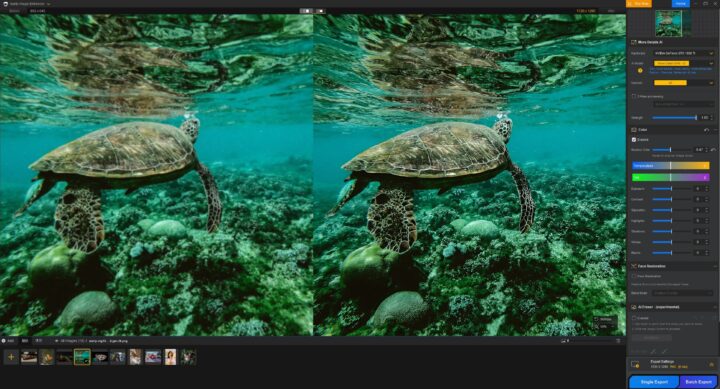
- TIFF & DNG Export for Pro Workflows You can now export enhanced images as TIFF or DNG, preserving higher bit depth. This ensures a seamless handoff to Capture One or Lightroom for final grading. The update also includes explicit DPI options optimized for everything from web use to fine-art/large-format printing.
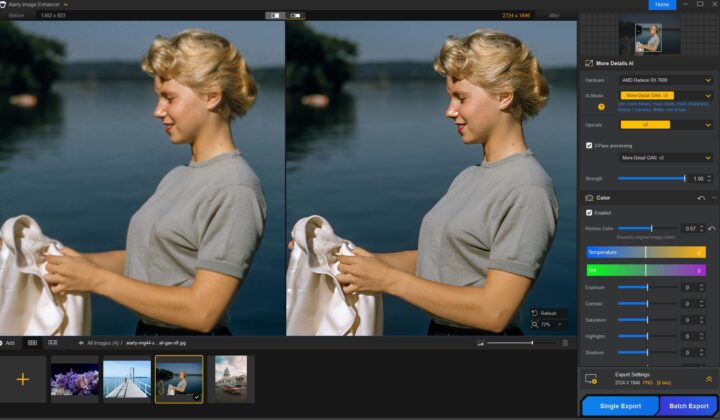
2. Improved Color Restoration Alongside quick correction panels, a new slider allows you to dial AI enhancements back toward the original color profile. This is crucial for photographers who want the technical cleanup of AI but want to keep the soul of the original capture’s color science.
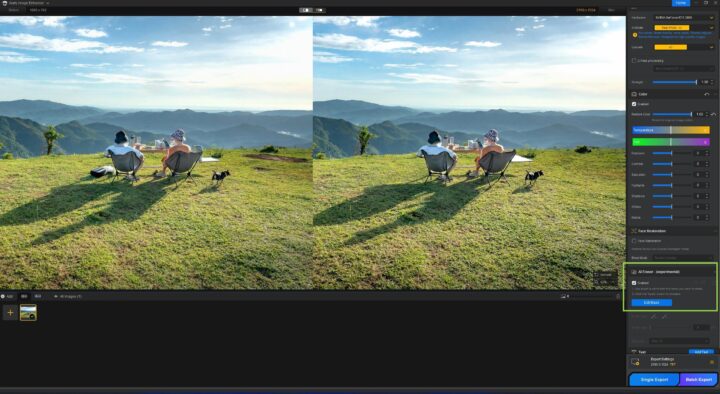
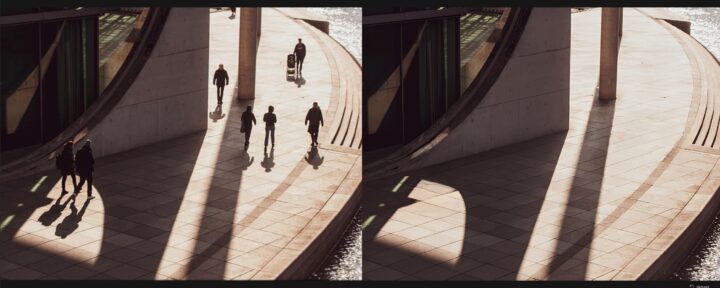
3. AI Eraser (Beta) The new AI Eraser is designed for removing distracting objects and reconstructing backgrounds. The AI models are downloaded locally on the first use, keeping the entire process fast and private. Get the practice guide here >

A Practical, Offline Tool (No Subscription)
Aiarty Image Enhancer avoids the “subscription fatigue” of modern software:
- Denoise and Deblur: Cleans up files while preserving authentic textures like fur, fabric, and foliage.
- Upscale to 32K: Intelligently generates genuine detail rather than just stretching pixels.
- Strength Control: Fine-tune the intensity to ensure the final result looks like a photograph, not a digital painting.
- Full Privacy: Offline processing means your images never leave your local drive.
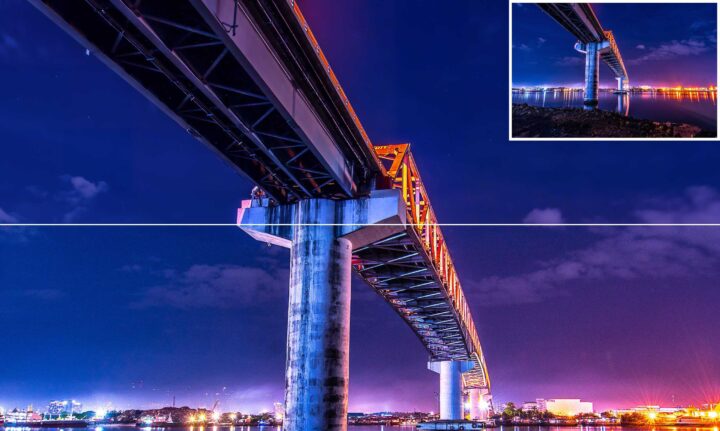
Why This Matters for Fujifilm Users
High ISO, low-light challenges, or deep cropping can push traditional editing tools to their limits. Aiarty is useful for:
- Noise Cleanup: Restore clarity in shots taken in challenging light while preserving fine details.
- Preserving “Fuji Colors”: Slider-based color restoration helps keep film simulations and skin tones true to your vision.
- Upscaling Older Images: Give legacy images new life for 4K/8K displays or large prints.
- Deep Cropping: Maintain sharpness and texture even when cropping tightly.
Reminder: Lifetime License ($79) and NYSPECIAL coupon expire January 31. More details here >
*sponsored post