
Remove, Blur, and Replace Backgrounds with Aiarty Image Matting – Lifetime License + Free Upgrades – Black Friday Offer

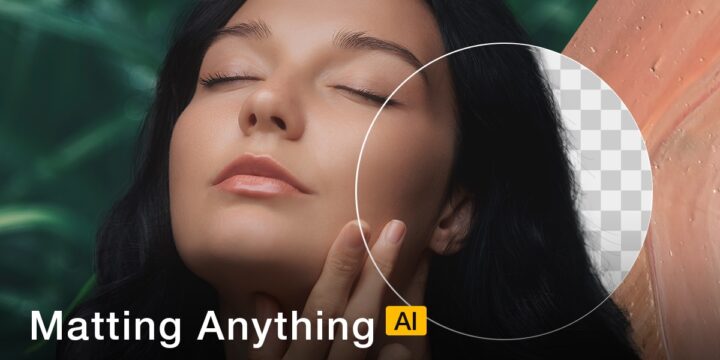
Masking hair, fur, or glass can take hours in post-production. Aiarty Image Matting is an AI-powered tool that works fully offline, delivers high-resolution output, handles complex edges, and streamlines batch workflows.
For Fujifilm users, it supports .RAF and most major RAW formats, making it easy to integrate alongside Lightroom, Capture One, or Photoshop. Whether you’re editing single images or large batches, Aiarty Image Matting fits seamlessly into professional workflows.
Black Friday Lifetime License Deal
This Black Friday, get Aiarty Image Matting’s Lifetime License at 40% off — a one-time purchase that gives you full access to the software and its powerful features.
- Use on up to 3 computers
- Free lifetime updates; no subscriptions or hidden fees
- 30-day money-back guarantee; try it risk-free
Get the Lifetime License at 40% Off
Key Highlights of Aiarty Image Matting
Here’s a closer look at the practical features photographers will find most useful:
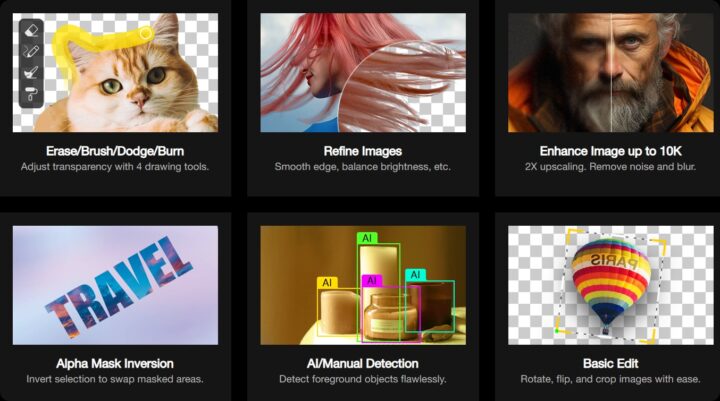
- AI-Powered Cutouts – Four dedicated AI models for portraits, products, and complex scenes, producing natural, ready-to-use results.
- Precision Matting – Handles fine textures like hair, lace, fur, and glass with smooth edges and accurate transparency.
- RAW & Batch Support – Process up to 3,000 images at once, including Fujifilm (.RAF), Canon (.CR3), Sony (.ARW), Nikon (.NEF), and more.
- Creative Options – Remove, blur, or replace backgrounds; fine-tune with Brush, Erase, Dodge, and Burn tools.
- High-Resolution Export – Output up to 10K resolution in .PNG (8/16-bit) or .JPG, ideal for both web and print.
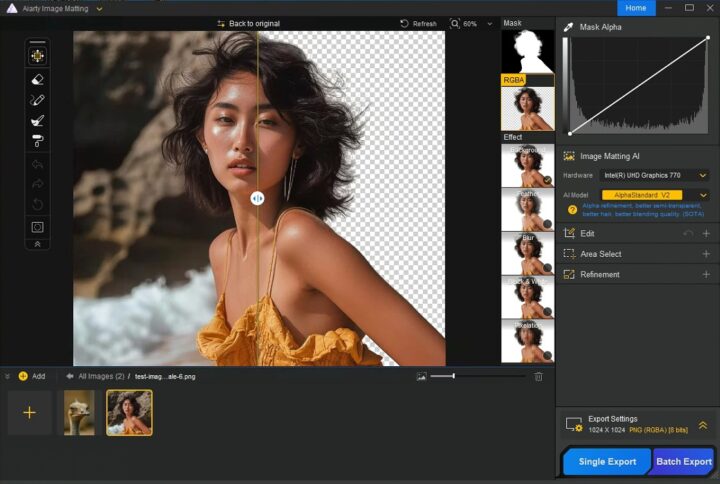
Remove Image Backgrounds with Ease
Complex edges like hair, fur, lace, or semi-transparent materials are often tedious to mask manually. Aiarty’s AI models separate subjects automatically, producing clean, natural cutouts that are ready for compositing, product pages, or transparent export.
This is particularly useful for portrait sessions, product catalogs, or social media images where accuracy and speed are critical.
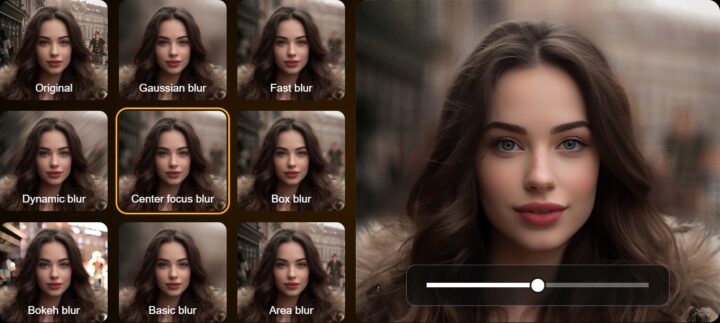
Blur Backgrounds for a Polished Look
Sometimes you don’t want to replace a background — just soften it.
Aiarty lets you blur the background while keeping your subject sharp, with adjustable intensity and real-time preview.
This feature is ideal for portraits shot in busy environments or when creating a shallow-depth-of-field effect without relying solely on your lens aperture.
Swap or Replace Backgrounds Easily
Replacing a background is straightforward. You can switch to a solid color, a custom image, or keep it transparent for later editing.
The AI maintains fine edge transitions, so hair, lace, and glass remain natural against any new background — perfect for product shots, creative composites, or marketing visuals.

Final Thoughts
For photographers who value speed, precision, and privacy, Aiarty Image Matting is a practical addition to any workflow. From single RAW edits to large batches, it delivers professional results quickly and reliably, saving time while maintaining image quality.
Learn more about Aiarty Image Matting’s Black Friday deal.
Visit Aiarty for more information and support.
** Sponsored Article **