Skip to content

Fujifilm X/GFX New Firmware Updates Released and How to Update (Panic-Free) via Camera Remote App
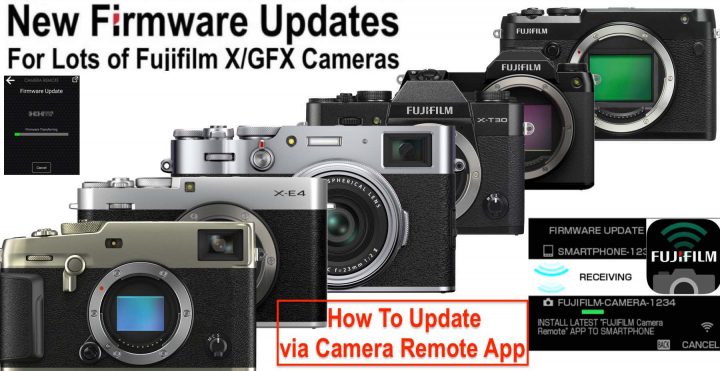
Earlier today Fujifilm has released firmware updates for six Fujifilm X and GFX cameras. You can read all details and access the download links here.

According to a survey we have launched recently, most of you guys prefer to use the good old-fashioned SD-Card way to update your gear.

Personally I’ve switched to updating via camera remote App. The reason is simple: it’s much faster, easier and convenient than updating via SD-Card.

So I definitely recommend to give it a try.

But how does it work?

Well, Fujifilm has given precise instruction on how to do it, but there is one thing that should be mentioned in addition to Fuji’s instruction to avoid updating via App becomes a frustrating experience.

Don’t make the error to connect your phone to the camera the same way you do it when you want to transfer images from your camera to your phone (hence connect via Wifi and fiddle around with the App and Camera to establish a connection).

Nothing of all that is needed.

You can simply leave your camera in live view. Just make sure that it has Bluetooth enabled. Everything will happen automatically and needs just few clicks once you have downloaded the firmware file on your phone.

So the process looks like this:

  1. make sure Bluetooth is enabled on your camera and on your smartphone
  2. download the firmware for your camera on your smartphone
  3. once downloaded, click “update” on your phone first and then “OK” on your camera
  4. you camera will ask you to connect via WiFi to your phone. Click “Connect” on your phone [in my video below you read “verbinden”, which is the German word for “connect”]
  5. once connected via Wifi, your phone will start to transfer the firmware file to your camera
  6. as soon as your camera has received the full file, it will automatically start with the firmware update [you don’t need your phone anymore once the firmware upgrade started on your camera]
  7. switch off the camera when the camera tells you to do so

It’s very easy, and for your convenience I have made a short video that shows the process down below.

Many are afraid that there could be issues due to network instability or what not. But don’t worry about that. You only need Wifi connection to quickly transfer the firmware file from your phone to the camera. The firmware update itself is performed by your camera independently only once it has received and saved the full firmware file from your smartphone to its own memory. So don’t be afraid of losing connection with the phone during the firmware update itself. Your camera is doing its stuff by its own at that point and the smartphone is not needed anymore.

Remember:

  • use a fully charged battery on your camera
  • updates are cumulative, so no matter what firmware update you currently have on your camera, you can right away update to the latest version (hence skip intermediate firmware updates)
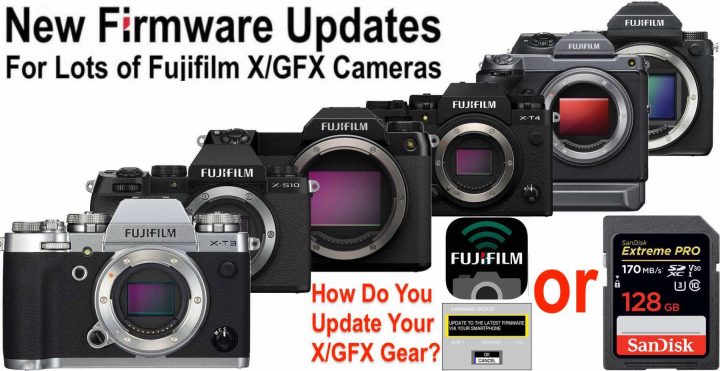
Fujifilm X/GFX Firmware Fixes macOS SD-Card Bug and Do You Prefer to Update Your Gear via SD-Card or Camera Remote App?

As we reported earlier today, Fujifilm has issued a firmware update for six X/GFX cameras. It fixed the issue we reported about in early February here.

You can read all the details and get the download links in this article.

And here comes my curiosity: I recently started using the Camera Remote App to update my cameras, and I find it so comfortable, that I was wondering if anyone else is using it. Hence, down below is a little survey where you can tell us if you use the App or go old-style via SD-card.

To Update my Fujifilm Cameras I prefer to use:

View Results

Loading ... Loading ...

Follow FujiRumors on Patreon, Facebook, Instagram, RSS-feed, Youtube, Flipboard and Twitter

The Fastest Growing Fujifilm Group

Join Our Owners Groups

Join Our Facebook Pages

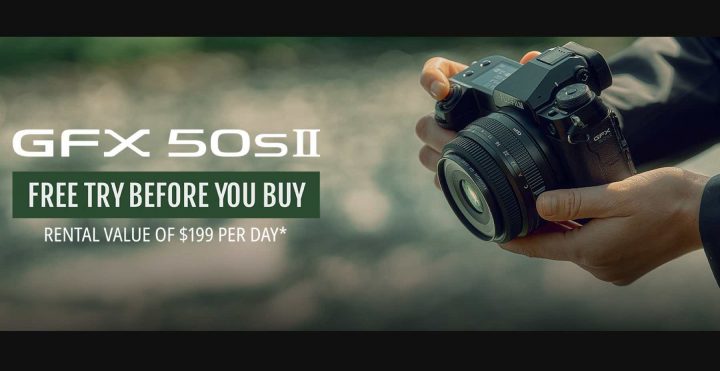
Fujifilm GFX50SII Free Try Before You Buy in USA

Fujifilm USA is launching a free “try before you buy” program for the Fujifilm GFX50SII.

The retailers that participate are listed below after the list of latest X and GFX deals.

GFX Gear

Buy within April 3 and submit your claim by May 3. BHphoto has all the instruction on how to submit your claim next to each item in offer: just click “rebate available” and then “view details“.

X Gear

Buy within March 27 and submit your claim by April 26.

** CLICK HERE to Read the Rest of the Article **

Save up to €500 on Fujinon GF Lenses, GFX Full Frame Trade-In Deal and X-T4/X-T3 Savings in Europe

New deals are spreading all over Europe (in addition to the ones already running).

As usual, there might be slight difference according to different European countries, but often they more or less match each other.

I will list below the deals for Germany and UK.

Germany

GF Lens Deals – End March 31

X-T4 and X-T3 Deals – End March 31

UK

Full list of X and GFX deals here – End March 31

GFX Gear

X Gear

  • X-S10 (save £100)
  • X-T4 body or with XF18-55 or with XF16-80 (save £150)
  • X-T3 body or with XF18-55 or with XF16-80 (save £100)


Important Notice: Firmware Bug on Fujifilm X/GFX Cameras can Block Access to Files Saved on SD Cards (Fix Coming Shortly)

Press Release

Feb.2.2022 
FUJIFILM Corporation

FUJIFILM Corporation has identified a firmware incompatibility between specific X and GFX series cameras listed below. This incompatibility can result in macOS users being unable to directly access files if they were initially saved to SDXC memory cards in-camera.

To address this anomaly, Fujifilm is creating a firmware patch, which is expected to be available for free download by X Series and GFX System users soon.

In the interim, please review the following information carefully for further information and recommended next steps.

I. Firmware Incompatibility Overview

** CLICK HERE to Read the Rest of the Article **

Top 10 Features of Modern Fujifilm X/GFX Cameras that Actually Have their DNA in Older Fujifilm Cameras

Did you ever wonder why Fujifilm cameras are so fun to use?

The short answer could be: because (unlike other brands – as SonyAlphaRumors itself admits) Fujifilm has a massive photographic culture that they cherish and honor also in their newest cameras.

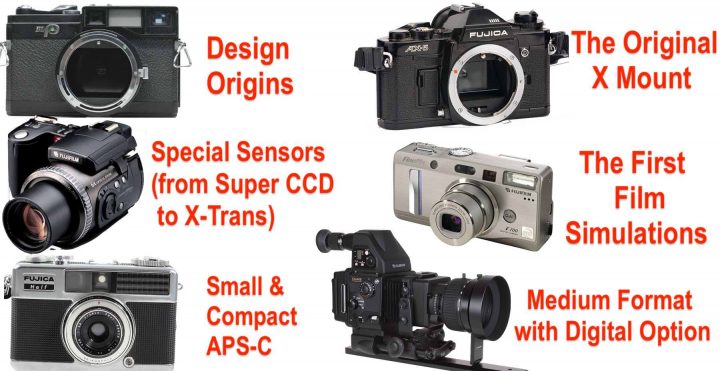
Well, inspired by our recent article about the top 10 digital cameras since the launch of the X mount, FR-reader Patrik Roos decided to make a real all time top 10 list looking at the entire Fujifilm heritage.

With one important distinction, though.

He did not simply pick 10 cameras, but indentified 10 aspects of older Fujifilm cameras that form the basis for the current Fujifilm mirrorless offering.

So, what do our modern X and GFX cameras have in common with older Fujifilm cameras? Patrik will answer this for you down below.

Related Articles

guest post by Patrik Roos – Repair service Svensk Cykelservice – repairs mostly bikes but also cameras on demand

I have had a look at some of the features that make up the DNA of the current X and GFX lines and have tried to pinpoint the Fujifilm cameras that introduced those ideas into the Fuji realm. I decided on these 10 points that together form the basis of what the current Fujifilm mirrorless systems are:

** CLICK HERE to Read the Rest of the Article **

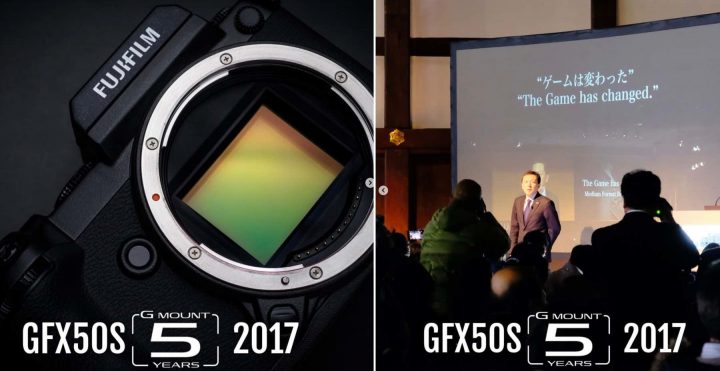
Celebrating 5 Years of Fujifilm GFX Series

5 years ago Fujifilm’s decision became obvious to all of us: unlike everybody else, we are going to skip full frame, build up the best APS-C system in the known universe and offer as an alternative to full frame a medium format mirrorless system. The result: the Fujifilm GFX system.

And well, the Fujifilm GFX series turns 5 years old today.

It all started with the launch of the original Fujifilm GFX50S on January 19 and the slogan “The Game has Changed”.

I remember at that time lots of skeptical comments, especially by influencers who believe that only full frame matters.

But looking back, I guess much of that skepticism has dissipated by now, given that Fujifilm is now offering medium format mirrorless cameras (GFX100S) that are smaller than some full frame mirrorless cameras (Panasonic S1 series) and offer more megapixel at a more affordable price than some full frame mirrorless cameras (Sony A1).

Sure, all the cameras we mentioned above have other strengths, such as video or speed, but all I want to say is that the Fujifilm GFX series is finding a solid ground on which to flourish.

So here we are, 5 years, 5 GFX cameras and 13 lenses later (with more to come) to celebrate a wonderful system that has a terrific potential for the future, as I explained here.

Congratulations Fujifilm.


Sieh dir diesen Beitrag auf Instagram an


Ein Beitrag geteilt von FUJIFILM X WORLD (@fujifilmxworld)

New Steelsring EF/GFX PRO Edition Launched

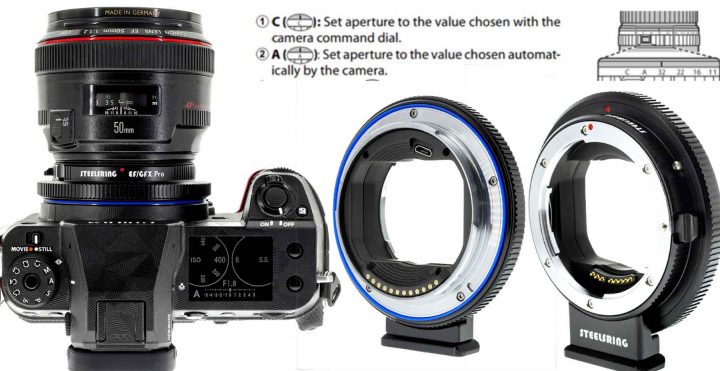
Steelsring is launching the Steelsring EF/GFX PRO Edition smart autofocus adapter. In addition to the multifunctional button there is also an aperture ring with A/C switch like we find it on Fujinon GF lenses.

FUJI Lens Mode Switch Simulation

FUJIFILM GF lens support mode C (Aperture priority by camera command dial) , mode A (Programming auto mode by camera) and Aperture dial mode.

For Steelsring EF/GF I/II/III adapters, with the help of short click of adapter’s MFB (multi-function button), it is able to simulate the mode switch simulation between C and A modes. initial mode simulation is mode C.

For PRO edition, with the add-on control ring in aperture body, it is possible to simulate an aperture dial too, the mode will cycle in C->A->Aperture Dial for PRO edition via short click of MFB, initial mode simulation for PRO edition is aperture dial instead of C for I/II/III adapters.

Lens mode switch simulation works always, is not relevant to adapter’s working mode as Adapter or GF lens simulation.

About MFB(multi-function button)

  • Activate firmware update mode for I/II/III and PRO adapters.
    Press and hold MFB, then connect to PC/MAC via USB cable, then release the button will enable adapter enter firmware update mode.
  • When mounted on camera body with lens combination, after camera power on normally
    1. Short click MFB once, will start lens mode switch between C and A for I/II/III adapter, or C->A->Aperture dial for PRO adapter.
    2. Press and hold MFB for 5 secs or longer, then release MFB, will trigger adapter’s mode switch between Adapter mode and GF lens simulation mode, camera body will reboot EF/GFX adapter to be effective immediately.

About Manual Focus Ring (PRO edition only, not available for I/II/III adapters)

When lens mode switch simulation is in C or A mode, aperture control is done via camera body dial, then we use the control ring to simulate a manual focus ring, it is more like power focusing of curtain EF lenses. To be effective, lens body AF/MF mode switch must be set to AF, and camera body focus mode dial set to MF. Turning control ring, it will activate camera’s MF assistant automatically.

About Automatic Focus Bracketing (PRO edition only, not available for I/II/III adapters)

When PRO adapter’s control ring can function as manual focus ring, it is able to set the begin and end positions of auto focusing bracketing depth now. So before entering Auto Focusing bracketing setting in camera body menus, please make sure adapter’s lens mode switch simulation is in C or A mode, and set Lens body AF/MF mode to AF, then turn the adapter’s control ring to set the position accordingly. Please do not turn lens body’s manual focus ring, it is useless because lens won’t report any distance change after focusing position changed, but FUJI’s algorithm need that value.

After finishing automatic focus bracketing positioning setting, control ring can be set to aperture dial simulation again.

You can read more at the Steelsring page here.

FUJIFILM 2021 “GFX Challenge” Program Closes Tomorrow: Get up to $10,000 for Your Photo/Video Project

The Fujifilm GFX Challenge Program 2021 closes tomorrow.

To know what the GFX challenge is about, check out our previous coverage here.

In short, you submit your project to Fujifilm, and Fujifilm will give selected projects up to 10,000 USD to support them.

The Global Grant Award recipients will receive: 
– Complimentary use of a GFX System camera body and two GF lenses for the duration of their project
– Mentoring and technical assistance from Fujifilm technicians / product experts
– $10,000 USD grant

The Regional Grant Award recipients will receive: 
– Complimentary use of a GFX System camera body and two GF lenses for the duration of their project
– Mentoring and technical assistance from Fujifilm product experts
– $5,000 USD grant

Learn more about it (and apply if you want) here.

LAST MINUTES to Save up to $1,500 on Fujifilm X/GFX Gear

There are the very last hours to save up to $1,500 on Fujifilm X and GFX gear.

Full List of Fujifilm Deals – END TODAY

Viltrox Deals – END DECEMBER 28

You can save up to 25% on many other products on the Viltrox Store here.