It’s the night when ghosts rise from their crypts — and it reminded me that Fujifilm, too, has (or had?) a rather unnatural power: the power to bring its cameras back from the dead with a little bit of firmware Kaizen magic.
Cameras that refused to die.
Or better yet: cameras that Fujifilm simply did not allow to die — resurrected again and again through firmware updates that breathed new life into them.
Scary times in which those who wrote excellent Fujifilm camera manuals were doomed to rewrite them over and over again — slowly driven to madness by Fujifilm’s relentless Kaizen spirit, as they struggled to keep up with all the new features added to cameras that refused to stay dead.
So let’s talk about those times.
And let’s talk about where we are now and what has changed (if anything).
So, at least in some countries, like in USA, the Fujifilm X-E5 is currently selling well, maybe even Fujifilm’s best seller, which would confirm what a Fujifilm manager said here.
We were going on a 4-day trip with my classmates to Siena.
And I remember how I cherished those 27 shots — how intentional I tried to make every single one of them. Every frame mattered so much to me.
The photos might have been flawed — soft, overexposed, touched by grain and blur. But the moments were flawless. I waited for them, guarded each frame, and only pressed the shutter when I felt that it truly mattered.
But somehow all of that went lost with the arrival of digital.
That sense of loss — of meaning, of connection — is exactly what YouTuber Gerald explores in his video “What We Lost When Cameras Got Better”. He looks back at what we unknowingly traded away when photography became effortless, and how we might get those things back.
We thought we were upgrading to digital.
But we weren’t — we were trading.
And this is what we lost in the exchange, according to Gerald.
Intentionality –
Film forced us to think before shooting because every frame was limited and costly.
Digital made shooting cheap and endless, which made each photo mean less.
Presence –
With film, you stayed in the moment.
With digital, we’re constantly checking screens, pulled out of the experience.
Anticipation –
Waiting to see developed photos made us value them more.
Instant previews make us forget instantly — memories don’t have time to form.
Imperfection –
Film had character: grain, light leaks, and “happy accidents.”
Digital and AI perfection removed uniqueness; everything looks the same.
Mindfulness –
Shooting film is a tactile, focused ritual.
You set ISO once, advance manually, and truly participate in the process.
Digital gives results; film teaches discipline.
Conclusion
Technology didn’t just upgrade photography — it also caused a trade-off.
We gained convenience but lost meaning.
Unlimited shots led to unlimited forgetting, while limitations gave us value.
How to Get It Back
You don’t need to abandon digital. Instead, adopt the film mindset.
By slowing down and paying attention, you’ll remember your photos — and the moments — again.
DPReview had a podcast in which they talk about the Fujifilm X-T30 III and we already shared in our previous article (and you can see it below again).
It’s an overall very positive take on the X-T30 III, with perhaps the only minor complaint being that it’s a small camera packed with lots of dedicated controls — which can sometimes lead to accidentally pressing a button. A fair critique, but on the other hand, if it didn’t have a joystick, a couple of FN buttons, and clickable front and rear dials, people would complain about the lack of them. Personally, I’d rather have more controls, because in my experience you quickly get used to the layout, and accidental presses become much rarer over time.
But that’s not what we want to talk about today.
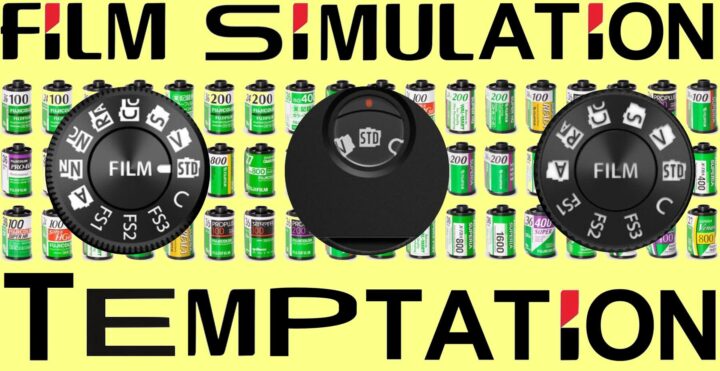
What I’d actually like to highlight is the last part of the video, in which they talk about the film simulation dial and film simulations in general.
the film simulation modes are all quite nice and generally quite subtle
you can shoot RAW and then use the in-camera converter to preview how your photo would look in another simulation
“People who don’t shoot Fujifilm often dismiss them as a gimmick,” says Richard Butler, “but it’s a gimmick I like.”
the new dial, he adds, reminds you to experiment: “Every time you take a shot, you think, ‘Oh, let’s see what that would look like in another film simulation.’”
Richard Butler says he likes the film simulation dial
DPReview’s Abby — who shoots Nikon and Sony and not Fujifilm — was asked if the film simulation dial is something that appeals to her. She said “I have actually debated switching to Fujifilm because of film simulations“.
she also pointed out that this feature is especially nice for beginners, since they can get polished, great-looking results without editing
having a physical dial instead of menu diving makes it even more approachable
many people, Abby said, “don’t want to sit down and edit things on the computer — they just want to take pictures and move on with their lives.”
Having the option to do that and still get photos that have nice colors and look like a more final product is a nice concept
So why hasn’t Abby switched yet? Well, adopting a new mount also means investing in new lenses — and that, of course, adds to the overall cost of the system.
That’s why I think cameras like the Fujifilm X100VI are a better fit for many non-Fujifilm shooters. You still get access to what people love about the Fujifilm system — the film simulations, the tactile controls, the colors — without having to invest in a whole new set of lenses. It’s the perfect everyday second camera for non-Fujifilm users.
Now, I know that many would like to have the NP-W235 battery on every Fujifilm camera. But fact is: the NP-W126S battery is here to stay, because it allowes certain cameras to have the smallest size possible.
Fujifilm 5th generation cameras with NP-W126S battery
It looks like the brand new Fujifilm X-T30 III just did something I thought was almost impossible: it made people happy, even on the comments here on FujiRumors 😊
Because, let’s face it — over the last few months (or even years), there’s been a lot of critiques in the comments on FujiRumors every time Fujifilm launched something new (often I feel rightful critiques, but often I think also not).
the Fujifilm X-E5 was slammed for being too expensive (worth every penny, if you ask me)
the Fujifilm X-M5 triggered a massive s*itstorm because it lacked a viewfinder
the Fujifilm X half series was labeled as an overpriced experiment
and even the Fujifilm X-T50, with its IBIS and 40MP sensor, was accused of being overkill
In short: Fujifilm has faced its fair share of criticism with almost every recent release.
So, when the X-T30 III dropped, I braced myself before opening the comment section — expecting yet another wave of disappointment.
But much to my surprise… that didn’t happen.
In fact, the more I scrolled, the more positive reactions I found (with some negatives here and there).
Let’s quote a few:
OreganoSpliff: Well, I’m finding it hard to talk s**t given what you get for the money
Marcio K: xactly what I tought to be – the X-M5 in the X-T30 body. For the price, very interesting.
Stefan: £829 in the uk is super cheap. Just £30 more than the XT30ii was at launch
italianbreadman: This is the best thing they’ve done in years
If I were to judge only from the comments, I’d say Fujifilm did a lot of things right with the X-T30 III — mainly by holding the price around that magical 1K mark.
There are some things you might have missed, some strange omissions compared to other Fujifilm cameras like the X-E5, and even a feature that makes it oddly superior (on paper) to the X-E5 despite being substantially cheaper. Let’s dive in.
Less Film Simulations, More Flexibility
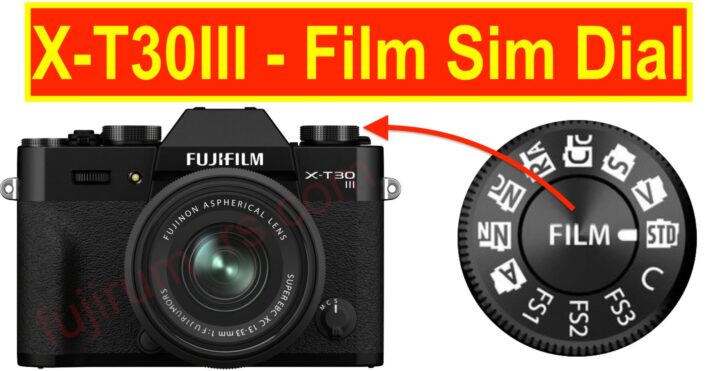
The X-T30 III’s film simulation dial lacks of dedicated Classic Neg. and Nostalgic Neg. slots, unlike all other FS dials Fujifilm has released so far. But at least you can store recipes on the FS1 to FS3 position, like on my beloved Fujifilm X-E5 (you can’t do that on X-T50 and X-M5).
One Firmware Away from Auto Subject Detection Awesomeness
In full AUTO mode, subject detection automatically switches between people, animals, and other subjects (train, car, etc.), just like on the X-S20. It’d be great to have this fully automatic detection in regular shooting modes too.
So please, Fujifilm. You are just a few firmware code lines away from making this happen!
EVF Strangeness
I hope to be wrong with this one, but I have not seen it mentioned anywhere: it looks like the Fujifilm X-T30 III does not have my new favorite EVF “classic display mode”. I love it on my X-E5, and I don’t understand why Fujifilm couldn’t put it also on the X-T30 III.
The Fujifilm X-T30III is substantially cheaper than the Fujifilm X-E5, and yet it features a higher resolution LCD than the X-E5. Look, in real life this does not matter, and yet it is interesting to note that.
in the image size settings, besides the usual 1:1, 3:2, 16:9 etc settings, there are also “instax mini”, “instax square” and “instax wide” settings: those setting record compressed JPEG/HEIF in a shape matching those Instax formats. Shooting 1:1 format has higher resolution than 1:1 Instax Square format.
Also, you can directly print to Instax printers.
6K – Same Same, but Different
6K modes on 40MP models are cropped in wide screen shape, but on 26MP models it’s 6K open gate.
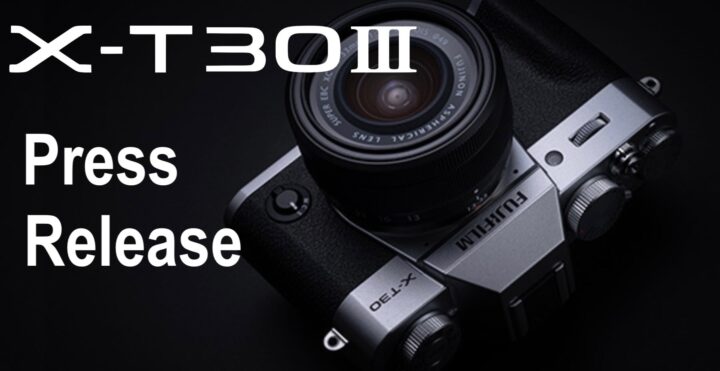
Fujifilm Launches Mirrorless Digital Camera “FUJIFILM X-T30 III”
Classic design and compact, lightweight body inherited from the popular X-T30 series
Newly equipped with the latest processor and Film Simulation dial for enhanced photographic enjoyment
There are a couple of nice surprises: the XC13-33mm is more compact, lighter, yet has a more sophisticated lens design (hence likely a better image quality). It comes with 9 rounded aperture blades instead of 7 (better bokeh?). It also has a more powerful optical image stabilization and a mechanical zoom instead of a powerzoom. I also like that the minimum focus distance is fixed at 20cm through the entire range.
That’s quite a nice set of improvements!
Below you can see the specs comparison.
I guess for many this could be an ideal ultra-portable kit zoom lens for many X-M5, X-E5 and X-T30III or X-T50 owners.
This is actually the first XC lens that has truly caught my interest and I can’t wait to finally see it unveiled on October 23 at 1AM New York time.
If the image quality is good, it could be an ultra compact alternative to my XF10-24mmF4.
I feel like Fujifilm has made lots of correct choices when it comes to developing the XC13-33mmF3.5-6.3.
Don’t forget: we will have a nice live blog only on FujiRumors.com ;).
But just out of curiosity, I will also share the estimated specs that Fujifilm itself mentioned in what some (erroneously) consider the hidden Fujifilm X mount lens roadmap:
According to our information, the Fujifilm X-T30III will use basically the same body of the trusted Fujifilm X-T30II.
However, there will be one difference: the X-T30II drive dial will be replaced by the film simulation dial we find on the Fujifilm X-M5 and Fujifilm X-T50.
As an Fujifilm X-E5 owner, I can say Fujifilm’s implementation of the film simulation dial on that camera is wonderfully elegant. On the X-T30III, though, such a solution won’t be necessary due to its different SLR-style layout compared to the X-E5’s rangefinder design.